Software Updates
Download Files
Latest software for DPF Load Monitor devices:
- Monitor Mini – v1.9.5.1 Firmware • 15-08-2026
- Monitor Mini – v1.9.4 Firmware • 02-08-2026
- Monitor Mini – v1.9.3 Firmware • 15-07-2026
- Monitor Mini – v1.9.2 Firmware • 03-07-2026
- Monitor Mini – v1.8.11 Firmware • 16-06-2026
Change Description
Monitor Mini – v1.9.5.1
- Improved display smoothness
- Addition of min/max values on page 6
- Fix for calculations for engine CAYC
- Initial support added for engines CXXB and CXHA
Monitor Mini – v1.9.4
- DTC reading is now automatic upon entering the DTC page without the need for manual Read button click
- Fixes for errors on the advanced page
Monitor Mini – v1.9.3
- Changed the way DTC is read. Now DTC is only read from one Read button instead of pending/current
- The first startup of the device now starts from page 2, previously it was page 1 with a clock
- Minor bug fixes
Monitor Mini – v1.9.2
- Added filter fill value per kilometer (mg/km) based on calculated soot mass on page 3.
- On the statistics page, added engine RPM below the maximum differential pressure at which this value was recorded.
- Changes to history page. From now on, record #1 is always the last regeneration. Subsequent records are older regenerations.
- Added buzzer volume control in settings. Ability to change volume low/high.
Monitor Mini – v1.8.11
- Changes in slow/fast mode. 35ms vs 50ms refresh of CAN data
- Blocked active regen when last regen km = 0, until regen km is > 0 again due to issues with buzzer
- Added new tab with soot mass calc and meas
- Changes to SD card saving, added signalisation dot when saving
- Changed calculation of max engine speed when max differential pressure is updated
- Fixed again EGR CRBC
- Fix for percentage fill calculation. Now calculated based on the read Load Limit parameter. Previously it was a fixed value of 24g.
How to Update the Firmware?
- Download the firmware (.bin) file for your device.
- Copy the file to a microSD card.
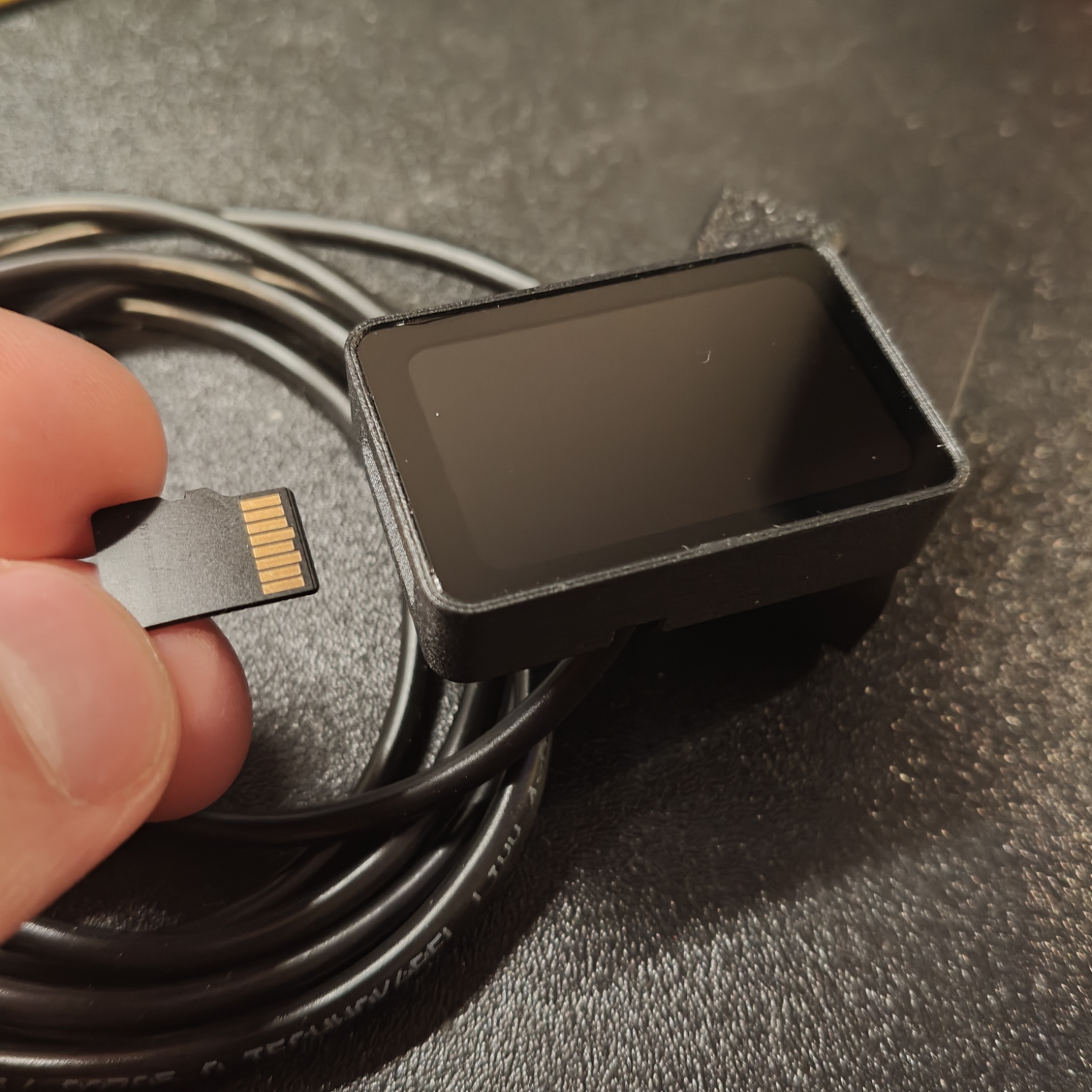
- Insert the card into the device. You do not need to disconnect the device to insert the card. The microSD card is hot swappable. The image below shows which side of the card should be inserted.
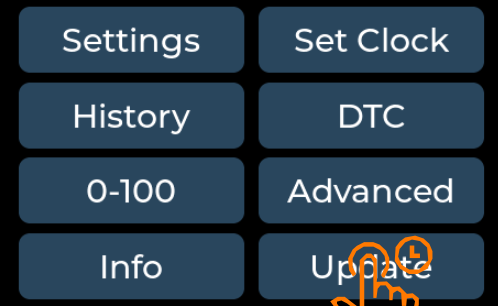
- During operation, go to the menu and hold the "Update" button for 2 seconds.
- Wait for the update process to complete (do not disconnect power).
- After restarting, the device will operate with the new version.
⚠ During updates, do not disconnect power – this may damage the device.